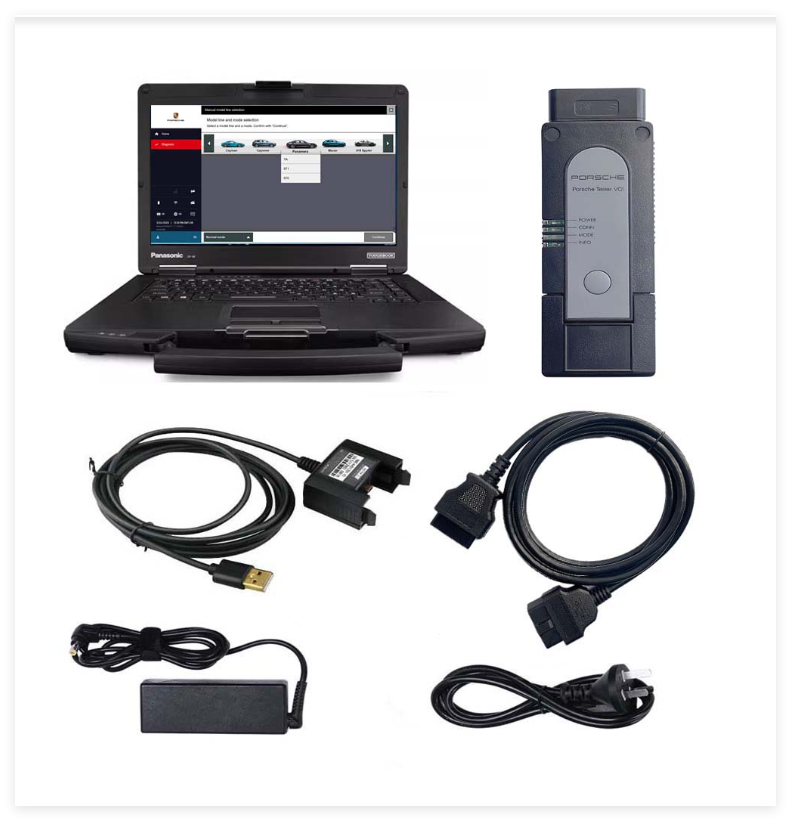
PIWIS 4 Upgrade of PIWIS 3 support 2025 New Cars and New Electric Vehicle Models
PIWIS 4 Description:
PIWIS4, the Integrated Workshop Information System IV, is an advanced diagnostic tool specifically designed for vehicles.It offers comprehensive support for 2025 new cars, including the latest models.PIWIS 4 provides support for new electric vehicle models, reflecting ‘s commitment to expanding its electric vehicle lineup.Furthermore, it features SFD (Schutz Fahrzeug Diagnose) Diagnostic Protection Technical Support, enhancing the security and reliability of diagnostic procedures for vehicles. Overall, PIWIS IV is a cutting-edge diagnostic system tailored to meet the evolving needs of technicians and service centers.
PIWIS 4 Highlight:
1. Support Wifi and LAN cable connection
2. Support engineering mode and online programming (you should be have online account first)
3. Support for 2025 New Cars
4. Support for New Electric Vehicle Models
5. SFD Diagnostic Protection Technical Support
6. Support online programming,but you should have an online account and certificate
PIWIS 4 Software:
The latest software version
Piwis 4 software offers the latest version, ensuring that users have access to the most up-to-date features, bug fixes, and improvements. Staying current with the latest software version is essential for optimal performance and compatibility with new vehicle models and technologies.
Developer mode
Piwis 4 includes a developer mode, which grants advanced users and developers additional access to system functionalities and tools for customization and development purposes.
Developer mode enables users to tailor the software to their specific needs and integrate custom features or modifications as required.
Offline wiring diagrams
Piwis 4 offers offline access to wiring diagrams, providing users with comprehensive visual representations of vehicle wiring and electrical systems.
Having offline access to wiring diagrams allows technicians to diagnose and troubleshoot electrical issues even in environments where internet connectivity may be limited or unavailable.
Unlimited license
Piwis 4 software features an unlimited license, allowing users unrestricted access to its functionalities and capabilities.
With an unlimited license, users can utilize the software to its full extent without encountering limitations or restrictions on usage.
PIWIS 4 Diagnostic Tool Main Function:
1. Diagnostics application
The Diagnostics application facilitates communication with control units in vehicles. Users can search for, identify, code, and program units, retrieve event memory data, execute complex processes, modify drive links, and perform routines.
2. Guided fault finding (GFF)
GFF generates a systematic test plan for diagnosing fault codes.It provides a recommended sequence for conducting tests, compiling a list of suggested tests along with relevant documentation and wiring diagrams to aid technicians in the diagnostic process.
3. Actual values/input signals functions
This feature displays real-time actual values and input signals from control units, providing insight into the current operational status and sensor inputs of the vehicle’s components.
4. Drive links/tests function
The Drive Links/Tests function displays drive links of control units, allowing users to modify parameters and execute test routines for individual control units, facilitating thorough diagnostics and testing procedures.
5. Maintenance/repairs function group
This function group enables users to access control unit-specific processes that cannot be universally implemented from the ODX data. It provides specialized maintenance and repair procedures tailored to the requirements of individual control units.
6. Coding/programming function group
Use this function to write coding values. Values can be coded automatically or set manually. This function group includes (Automatic coding, Manual coding, Customer-specific settings, and Factory settings) coding modes.
7. Logging
Users can utilize this function group to write coding values, either automatically or manually. It includes modes for Automatic Coding, Manual Coding, Customer-specific settings, and Factory settings, enabling customization and configuration of control units.
8. Filter
The Filter function enables users to manage the view of installed control units in the vehicle. Users can create, edit, activate, deactivate, or assign filters within the diagnostic application to streamline data presentation and analysis.
9. Wiring diagrams application
This application provides graphical representations of physical connections and circuit layouts within vehicles, aiding technicians in understanding the electrical architecture and diagnosing wiring-related issues effectively.